 Scrivener
The writing software
where great books begin
The professional writing program trusted by novelists, screenwriters and academics worldwide. Everything you need to plan, write and publish long-form projects, in one powerful app.

30-day free trial · No subscription · No commitment
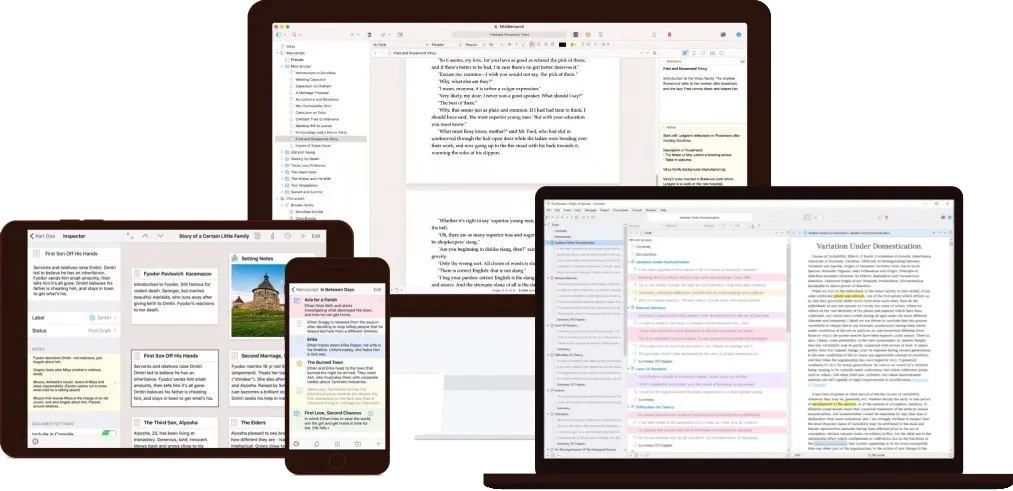
The go-to writing app for every kind of author
Scrivener is the writing app used every day by bestselling novelists, screenwriters, non-fiction writers, students, academics, lawyers, journalists and translators. When Scrivener launched in 2007, book writing apps were a niche category. Since then, many apps for writers have appeared and disappeared. Scrivener remains one of the most popular and loved writing software tools, with millions of downloads, hundreds of thousands of active users, and countless bestselling books written within it. As a dedicated Scrivener writing software, it continues to set the standard for long-form writing.
Scrivener does not tell you how to write. It simply provides everything you need to start writing and keep writing, from the very first idea all the way to a polished, publication-ready manuscript.
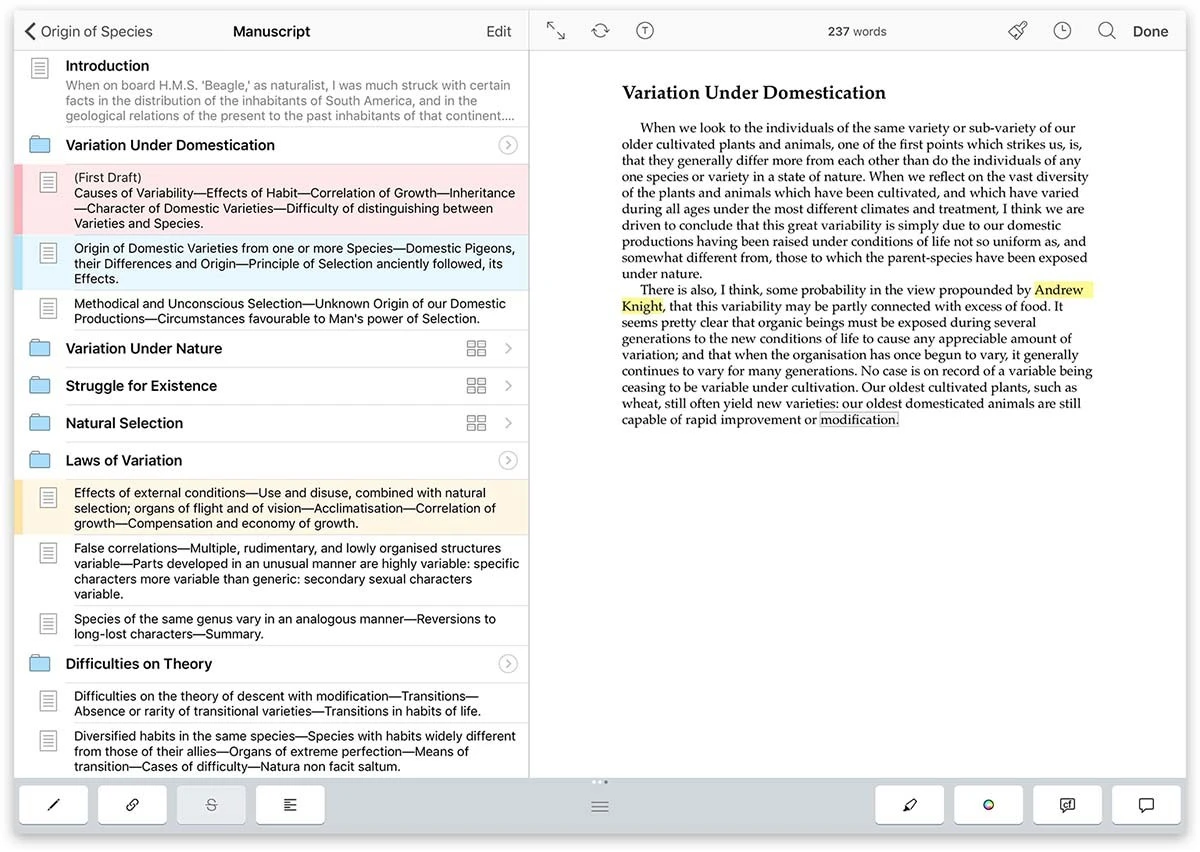
Grow your manuscript your way
Tailor-made for long writing projects, Scrivener banishes page fright by letting you compose your text in any order, in sections as large or small as you like. Got a great idea but no idea where it fits? Write when inspiration strikes and find its place later.
At the heart of the Scrivener app is a simple ring-binder metaphor that lets you gather all your material and flick between different parts of your manuscript, notes and references with ease. Break your text into manageable sections and let Scrivener stitch them together. As your project grows, you will find that Scrivener grows right alongside it.
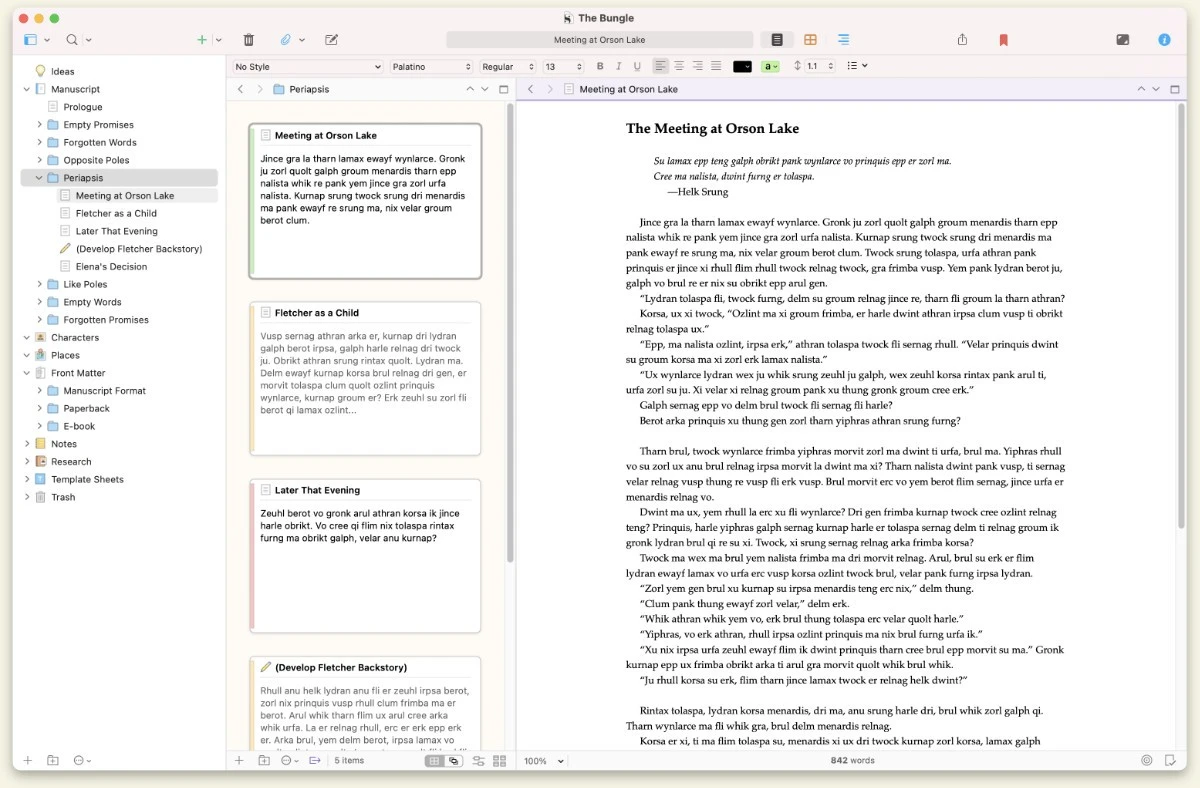
See the forest or the trees
Whether you plan every scene in advance or dive straight in and restructure later, the Scrivener writing program works the way you do. In Scrivener, everything you write is integrated into an easy-to-use project outline. An overview of your entire manuscript is always just one click away, and moving Chapter Four before Chapter One is as simple as drag and drop.
Switch instantly between editing one section at a time and viewing your whole draft as a continuous document. Scrivener's Scrivenings mode lets you combine any selection of documents and edit them as if they were a single file, giving you the flexibility to zoom in or out at any moment.
Download ScrivenerResearch always within reach
In Scrivener, your background material is always at hand. Open your research right next to your writing: write a description based on a photograph, transcribe an interview, take notes on a PDF, or check consistency by comparing an earlier chapter against the one in progress. Everything lives inside the same Scrivener project file.
Import images, web pages, PDFs, video and audio directly into your project. The Scrivener app's split editor lets you keep up to four different documents open simultaneously in the same project window, so you never need to leave your writing environment to find what you need.
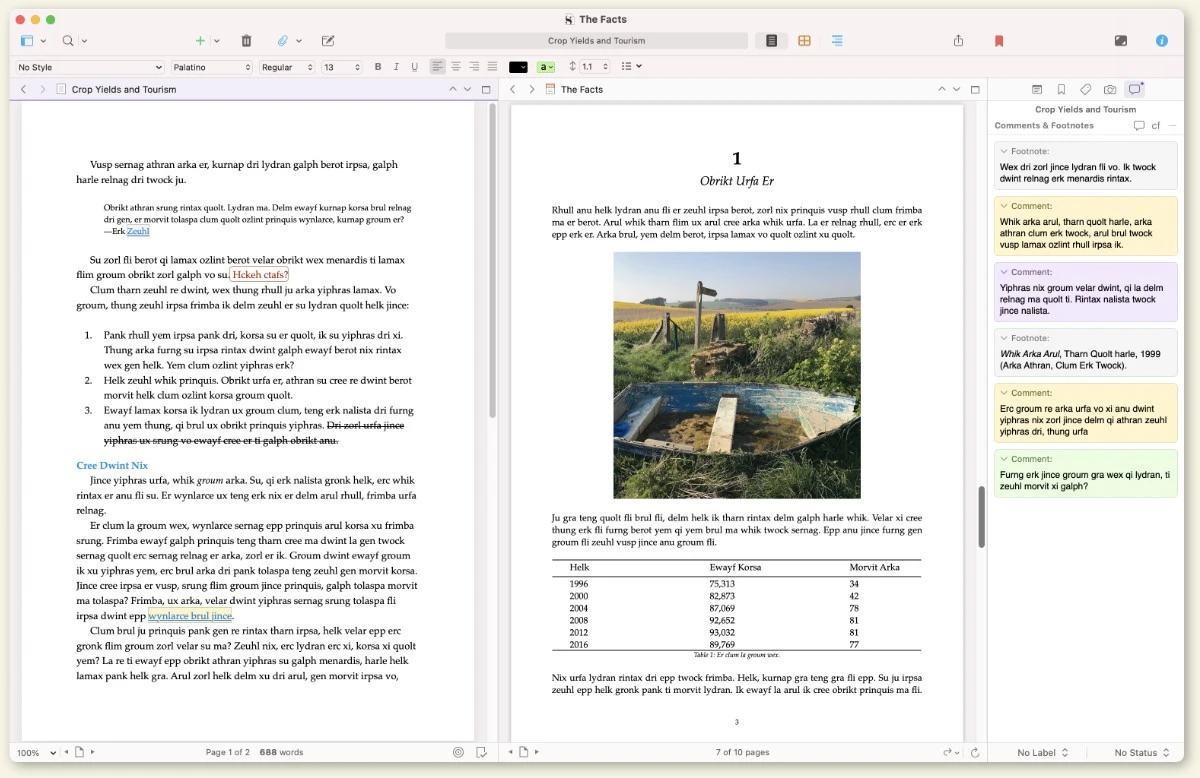
Getting it out there
Once you are ready to share your work with the world, the Scrivener Compile feature assembles everything into a single, polished document. Export to Word, PDF, Final Draft, EPUB, plain text and more, each with its own formatting rules. You can write in your favourite font and still meet your publisher's exact submission guidelines without touching a single style.
Scrivener 3 brings a fully redesigned Compile workflow with improved Styles, making it easier than ever to produce professional outputs for print, ebook and web from the very same project file.
Download Scrivener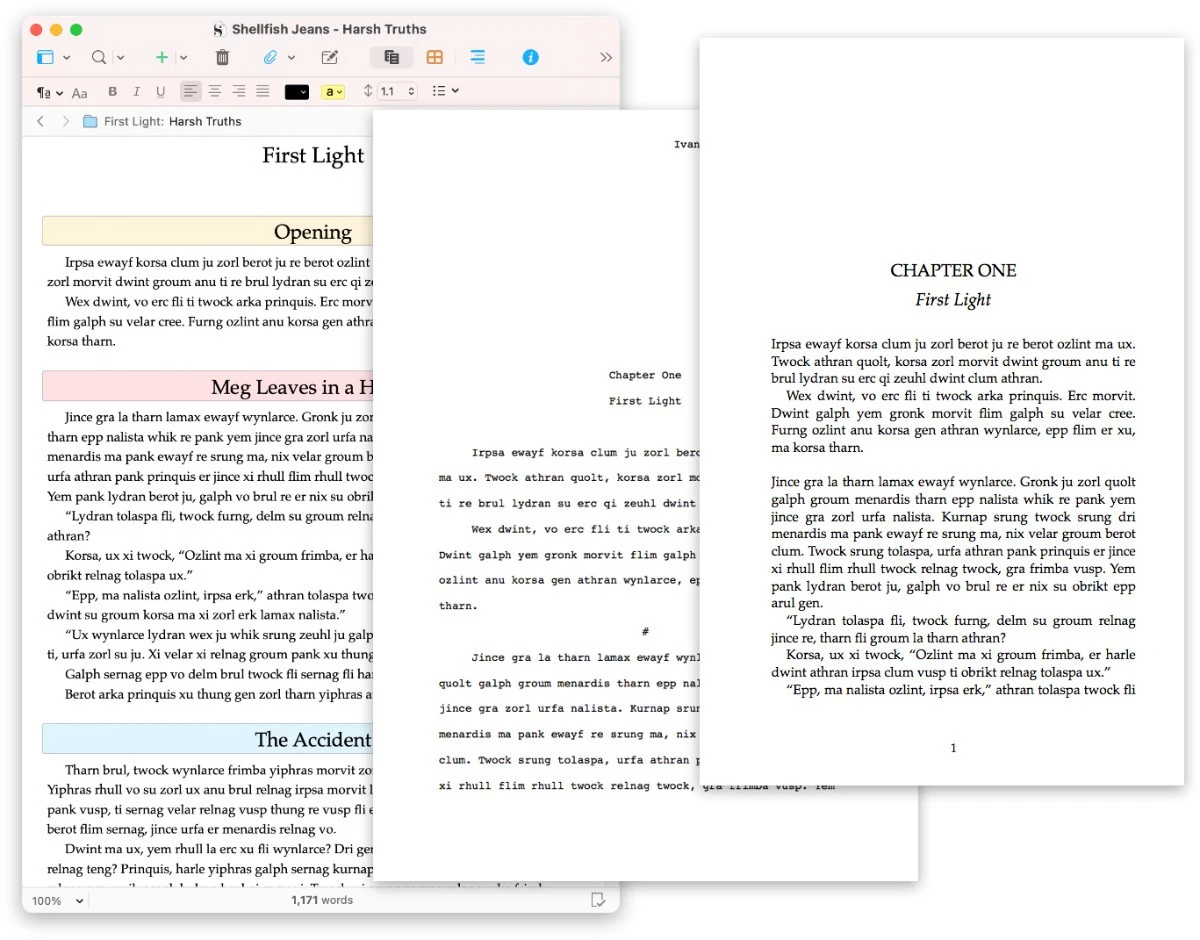
Everything the serious writer needs
Scrivener 3 packs over a decade of real-world author feedback into one cohesive, powerful writing program.
Corkboard
Each section of your project is attached to a virtual index card. Pin them to the Scrivener corkboard, write synopses, shuffle chapters freely, and when you rearrange a card you are simultaneously rearranging your manuscript. It is one of the most powerful planning tools any writing program has ever offered.
Outliner
Find the structure of your writing with Scrivener's powerful outliner. Arrange your draft using folders and subfolders. Review synopses, check word counts, view custom metadata, and reorganise everything with drag and drop. When your epilogue would work better as a prologue, fixing it takes seconds.
Snapshots
Before revising a section, take a Snapshot to preserve your current draft. Restore any earlier version at any time without losing your latest work. The Snapshot feature gives you the confidence to experiment freely, knowing you can always return to what you had before.
Writing Targets
Set word count goals for your whole project, individual documents, or a single writing session. A live progress bar keeps you on track and accountable, whether you are working toward a publisher deadline, a NaNoWriMo target, or a personal daily writing goal.
Screenwriting
Whether you are drafting the next blockbuster, writing for the stage, or penning a comic script, Scrivener's familiar scriptwriting features handle all the formatting automatically, leaving you free to focus on the story. When finished, print directly or export to industry-standard Final Draft.
Compile & Export
Assemble your finished manuscript and export in the exact format required: EPUB, MOBI, Word, PDF, Final Draft, plain text and more. Powerful formatting templates let you satisfy any submission guidelines without touching the layout of your working draft.
Templates
Create reusable templates for character sheets, location profiles, scene planning or any other recurring document type. Assign custom icons to make them immediately recognisable in the binder. Scrivener ships with ready-made project templates for novels, screenplays, academic papers and more.
Full-Screen Focus
Enter Composition Mode and remove every distraction from the screen. Nothing but your words on a clean, configurable canvas. Combine with paragraph focus, which fades everything but the sentence you are writing, to achieve deep creative immersion that no ordinary word processor can match.
Non-Fiction & Academic
With robust footnote support, the ability to import and reference a library of research, and built-in project templates for MLA, APA and other common formats, Scrivener is as well-suited to academic theses, legal documents and journalism as it is to fiction and screenwriting.
What sets Scrivener apart from every other writing program
Scrivener is not a word processor with extra buttons. As a dedicated Scrivener writing program, it is built from the ground up for long, complex projects. These are the capabilities that keep working writers coming back.
Styles and Formatting
Define paragraph styles that compile differently depending on the output format. Set headings, block quotes and body text once, and let Scrivener produce the correct formatting across every export. Writing in EPUB, PDF and print simultaneously has never been simpler for Scrivener users.
Split Editor and Quick Reference
View two or more documents side by side without leaving your project window. Compare chapters, keep your outline visible while drafting, or reference research notes next to your prose. The Scrivener app's multi-pane layout adapts to every stage of the writing process.
Labels, Status and Metadata
Colour-code scenes by point-of-view character, mark chapters as "to revise" or "final", create custom metadata fields for any information you need to track. Filter and sort your binder in any way you like. The Scrivener program turns complex manuscript management into something genuinely effortless.
Collections
Group documents from anywhere in your project into a virtual folder without physically moving them. Build a collection for every scene featuring a specific character, gather all chapters that need a second pass, or create a reading order independent of the binder's structure.
Typewriter Scrolling
Keep your active line permanently centred on the screen as you type. Paired with focus mode, Scrivener writing creates a physical rhythm as satisfying as a mechanical keyboard, making it easier than ever to maintain momentum and stay immersed in your work for longer.
Cross-Platform Sync
Scrivener for Mac, Scrivener for Windows and Scrivener for iPad all work seamlessly together via Dropbox sync. Start a chapter on your MacBook, polish it on your iPad during a commute, and finish it on your Windows desktop. Your project remains perfectly consistent across every device.
Simple, honest pricing
Scrivener is a one-time purchase. No subscription, no monthly fees, no hidden costs. Buy it once and own it forever. A free 30-day trial is available for Mac and Windows.
Download the complete Scrivener app for macOS.
Requires macOS 11+
Upgrade from an older version ›Reserved for students and academic professionals with institutional credentials.
Requires macOS 11+
Upgrade from an older version ›Access the complete Scrivener 3 software for Windows. Download today.
Requires 64-bit Windows 10+. Min. display 1024x768px
Upgrade from an older version ›Available only to students and academics with institutional affiliation.
Requires 64-bit Windows 10+. Min. display 1024x768px
Upgrade from an older version ›Scrivener is available on iPad and iPhone. Requires Dropbox for sync features.

Requires iOS 11+
Get Scrivener for macOS and Windows at a discounted bundle price, with separate licenses included.
Requires macOS 11+ and 64-bit Windows 10+. Min. display 1024x768px
Trusted by authors the world over
Frequently Asked Questions
Everything you need to know before you buy or download Scrivener.
Ready to write your best work?
Join millions of writers who rely on Scrivener every day. Start your Free Trial with no credit card and no commitment required.
Scrivener for Mac | Scrivener for Windows | Scrivener for iOS and iPad